Garba Agents are here. Hand over the follow-ups, meeting prep and recurring updates. Tell Garba what to do and when, and it gets to work.
We’re also launching Slides and PDFs for Blueprints, answers with charts, better meeting emails and plenty of smaller improvements. Here’s what’s new.
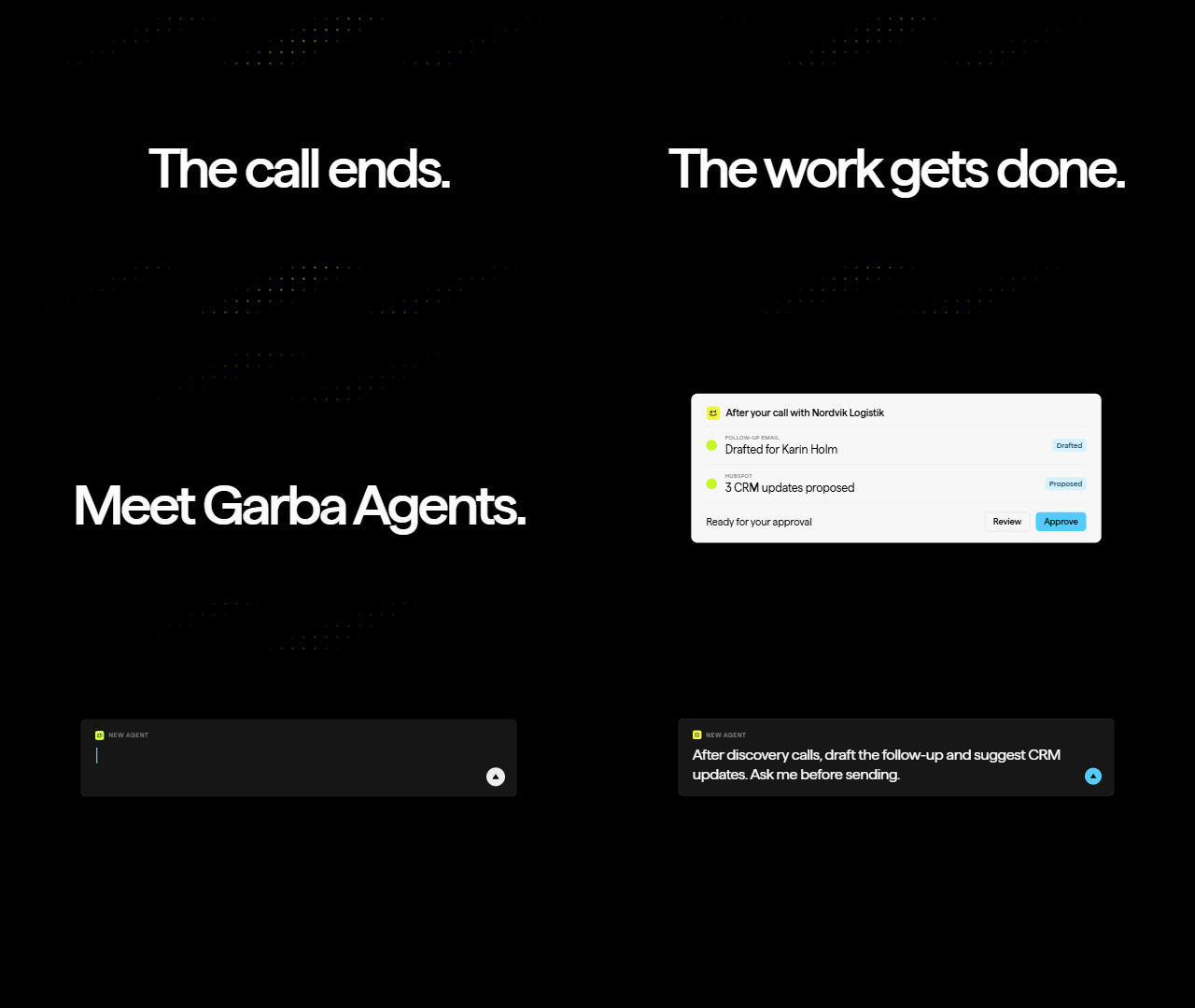
▶︎ Click to watch the Agents launch film
Give Garba a job. It takes it from there.
Agents are out and available on every account. Tell Garba a job once, and it does it every time it’s due: on a schedule, before or after a meeting, or when a deal changes stage.
- “After every customer meeting, draft a follow-up email and save it in my Gmail Drafts folder.”
- “When a feature request comes in by email or in a meeting, check whether it already exists in Linear. If it’s new, let me review and approve it before adding it to the backlog.”
- “Every morning, review my open deals and tell me what I need to do to move them forward.”
- “Every Friday, review our pipeline and tell me what’s changed.”
- “As soon as a deal is marked closed won, prepare a handover, create an onboarding site and send it to the Customer Success team.”
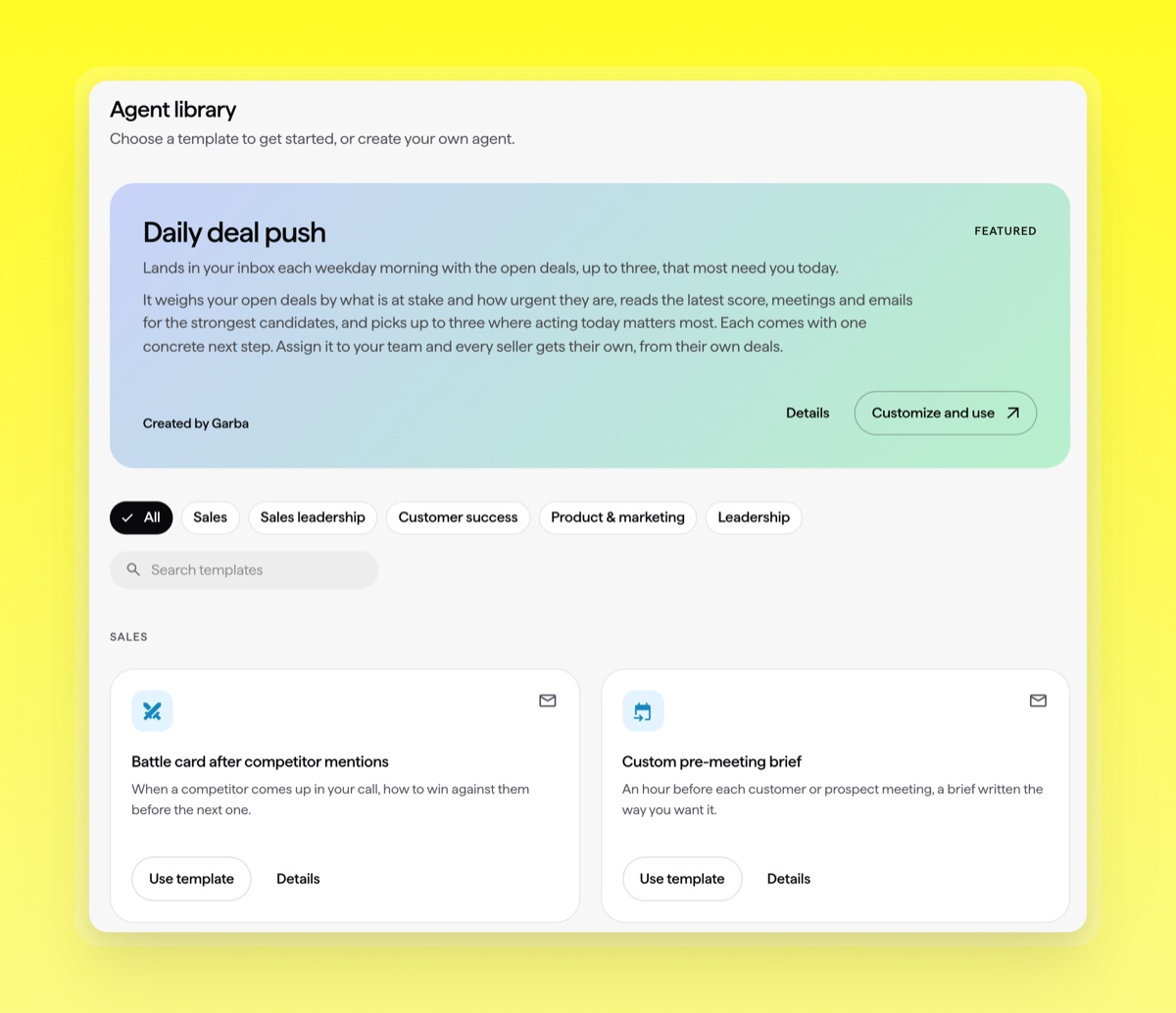
Connected to the tools you already use.
Garba Agents go far beyond working inside Garba. Use your existing integrations or connect more tools through our MCP connectors to put your customer data to work across your revenue workflow.
By default, only admins can create agents. Admins can let managers and users create them too in Settings → Account → Settings → AI Tools.
Garba Agents open up a new world of possibilities for your customer data. Start exploring how they can supercharge your revenue workflow today.
Read more about Agents →AI credits, included in your subscription
Alongside agents, we’re introducing AI credits. Your subscription includes 500 credits per paid user each month, shared across your team. Both Ask Garba questions and agent runs use this shared allowance.
As an existing customer, you can continue using Ask Garba even when your credits run out. Agent runs will pause until your monthly allowance resets or you add more credits.
You can track usage on the AI Credits page, and we’ll email your account admins when you reach 80% and 100% of your allowance. Credits reset monthly, and unused credits don’t roll over.
Need more? Contact support. There are no automatic extra charges.
Learn more about AI credits →Your Blueprints now go further.
Last month, we launched Blueprints: a better way to create customer collateral that’s always on brand.
Alongside reports and web pages, you can now choose two new formats: Slides and PDFs. Turn your customer conversations into a presentation, a one-pager or a product sheet, all in your brand.
Slides: Pitches, QBRs, revenue reviews and kick-offs. Present or export as PDF.
PDF: One-pagers, case studies and product sheets.
Better design, straight out of the box.
Blueprints now come with pre-designed templates for your own content. Pick a layout and Garba fills it with your material, preserving the design while adapting it to your brand.
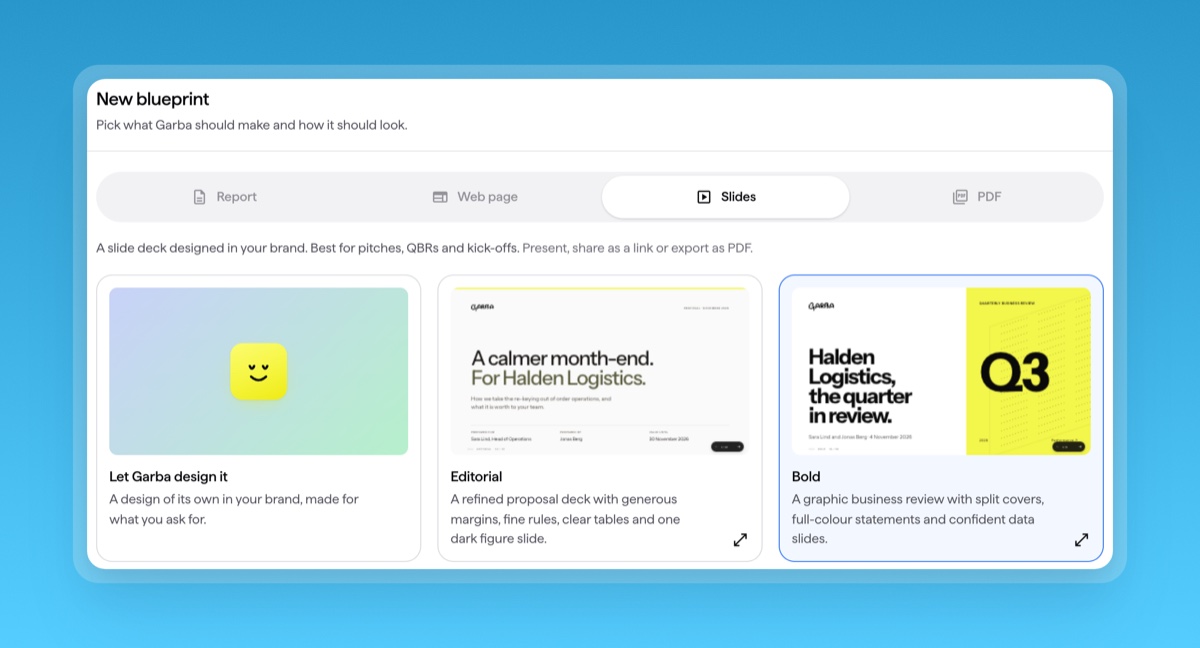
Pick a pre-designed template and make it your own.
Everything comes out in your brand, with your fonts, your pictures and a cover page you control.
Read more about Blueprints →Ask about the numbers. See the answer.
Ask Garba can now answer with charts and KPI cards. Tables are wider and sortable, so it’s easier to explore the details.
Try asking: “Chart the deals we won each month this year against last year.”
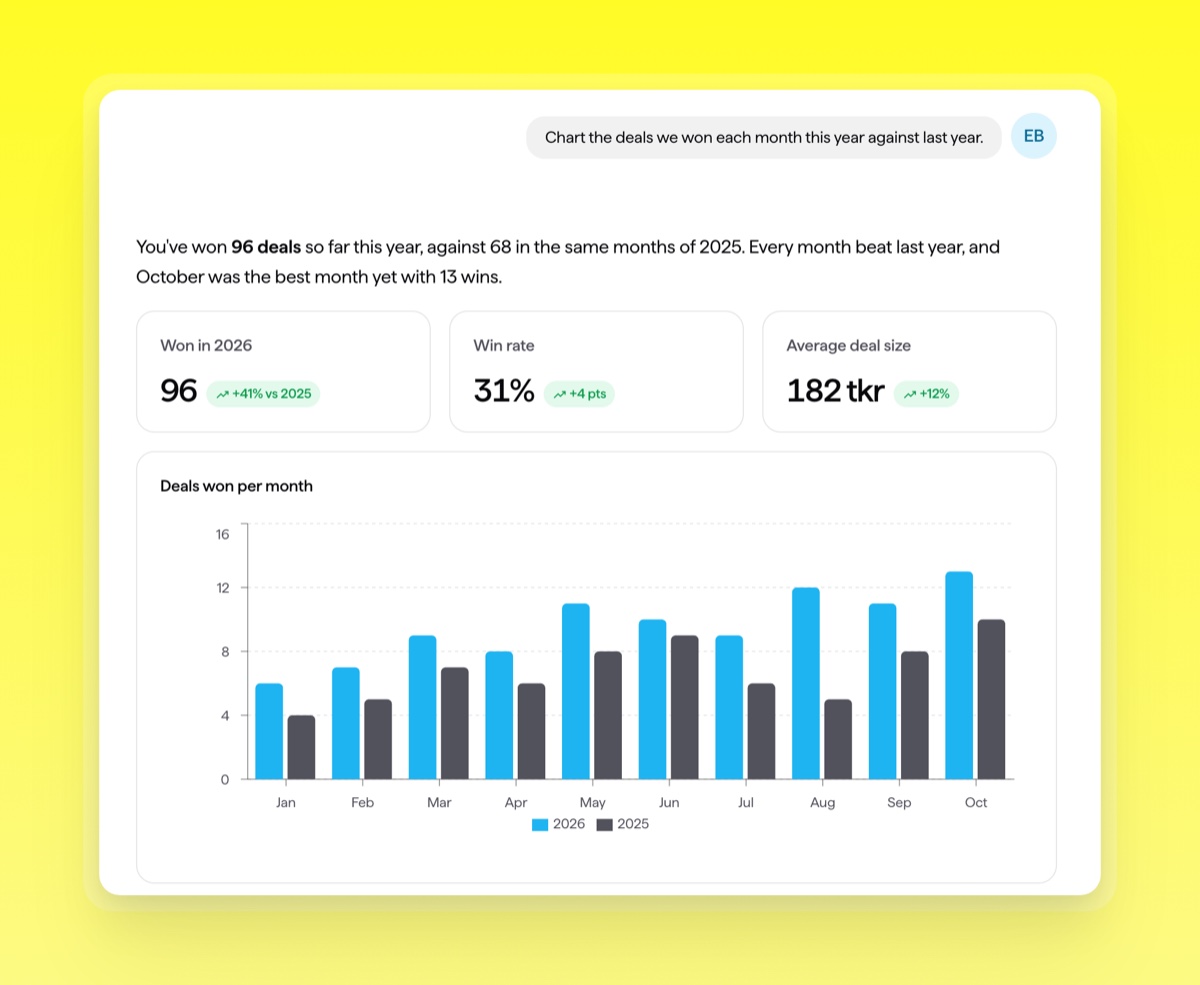
Charts and KPI cards in Ask Garba. Illustrative sample data.
Keep the conversation going with your briefs.
You can now chat about your pre-meeting and daily briefs. Open a brief, or click the button in the brief email, and ask what you need before the call.
Read more about Ask Garba →The takeaways first. The next step right there.
Your meeting summary emails are now much richer, including key takeaways, followed by tasks, scorecards and talk time. Buttons let you draft the follow-up or ask about the meeting straight from the email.
Every colleague on the meeting gets it, not just the owner.
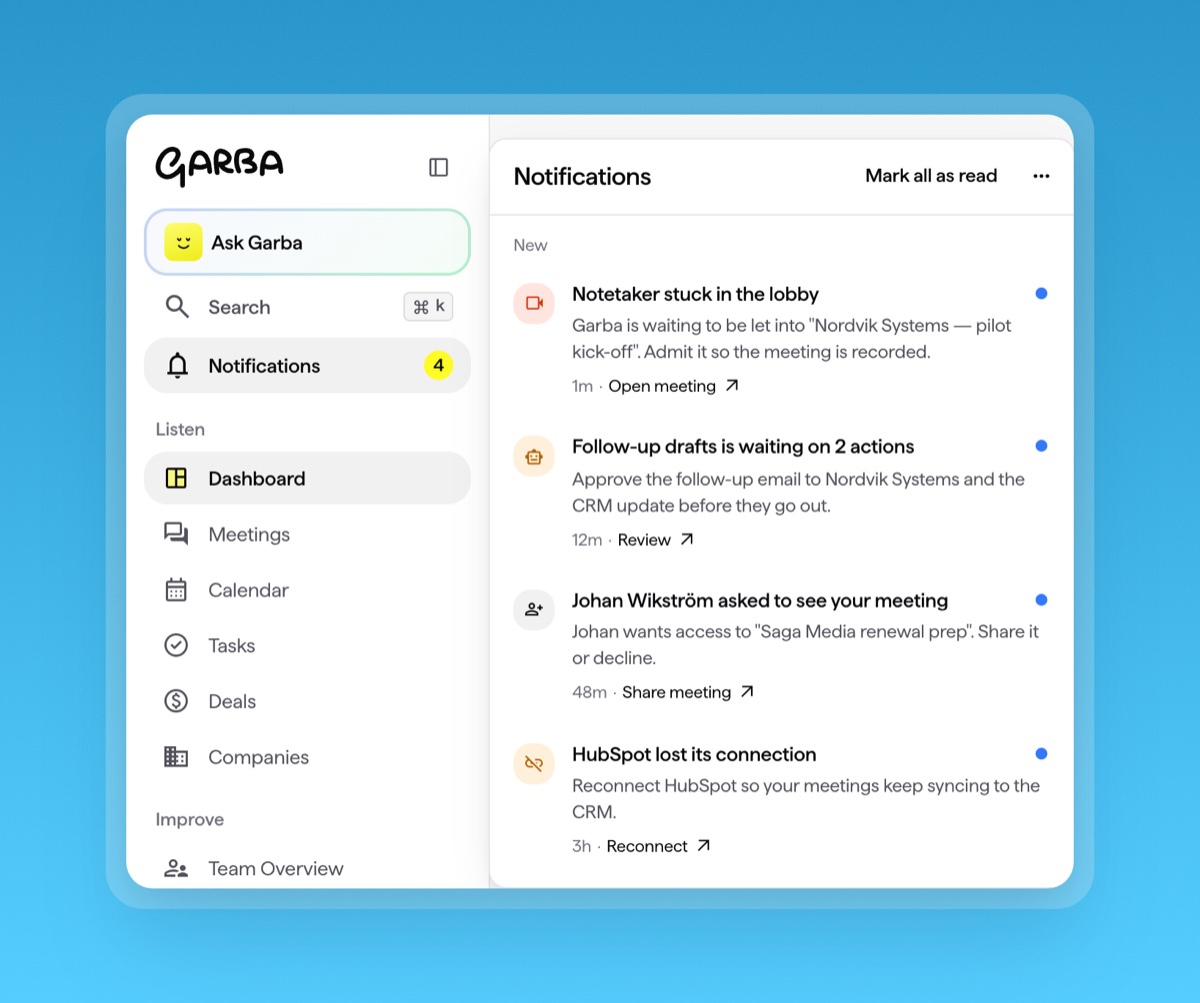
A bell for the things that need you.
Inside Garba, the new notifications bell in the sidebar brings together the things that need your attention: a notetaker waiting in a lobby, a meeting access request, an agent waiting for approval or an integration that needs reconnecting.
 Read more about notifications →
The smaller things that make a difference.
Ask Garba & history
- When a question is unclear, Garba asks back with options you can click.
- Recent chats now show on company and deal pages.
- A redesigned History pane keeps chats and agent runs separate.
Meetings & briefs
- Meeting rooms are recognised as rooms, and the voices in them are split into separate speakers.
- The notetaker skips meetings you declined.
- Pre-meeting briefs skip internal meetings and research only external people.
- Request access to a meeting you can’t open.
- Get one task per meeting instead of one per commitment.
Deals & next steps
- More deals get an AI close date.
- Next best actions no longer suggest steps you already took.
Admin & access
- Admins can block MCP connections and see AI credit use per agent run and chat.